Your data stays with you
Everything lives in an encrypted database on your computer. No ads, no tracking, no account needed. Bank sync is optional: every feature works with accounts you enter or import yourself.

 Cabbage KeeperCreate account
Cabbage Keeper tracks your accounts, bills, budgets and plans in an encrypted file on your computer. It's free, it works without an account, and nothing is shared without your permission.
Need your phone or AI assistant connected for you? Cabbage Keeper Plus: 3 days free
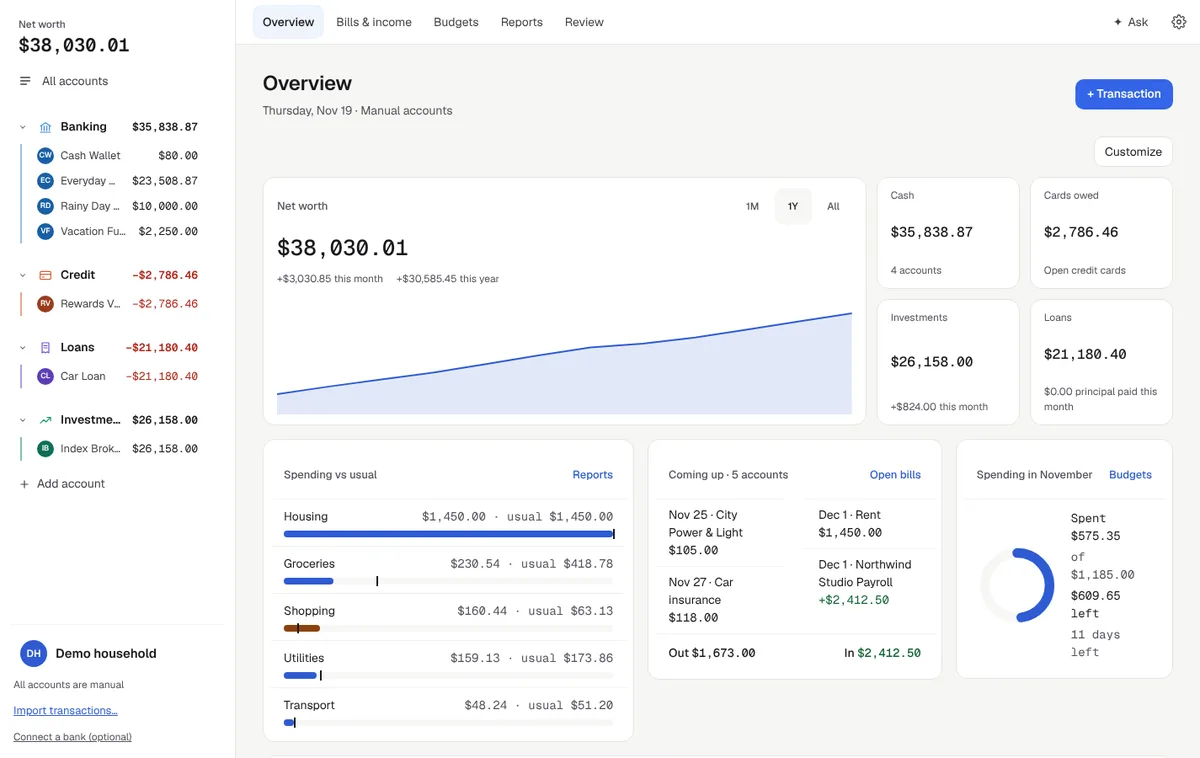
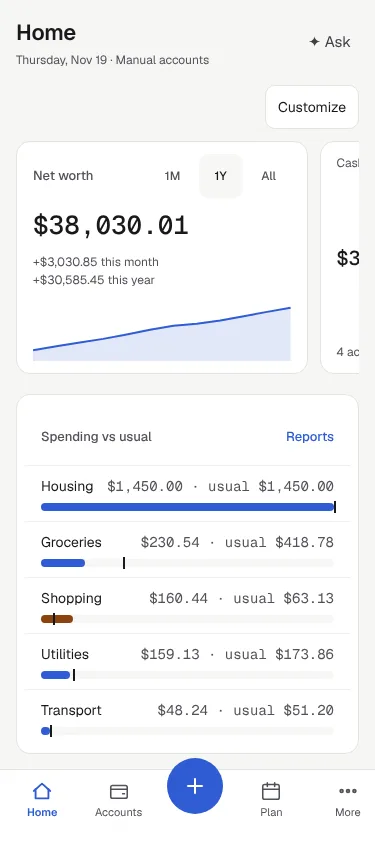
Everything lives in an encrypted database on your computer. No ads, no tracking, no account needed. Bank sync is optional: every feature works with accounts you enter or import yourself.
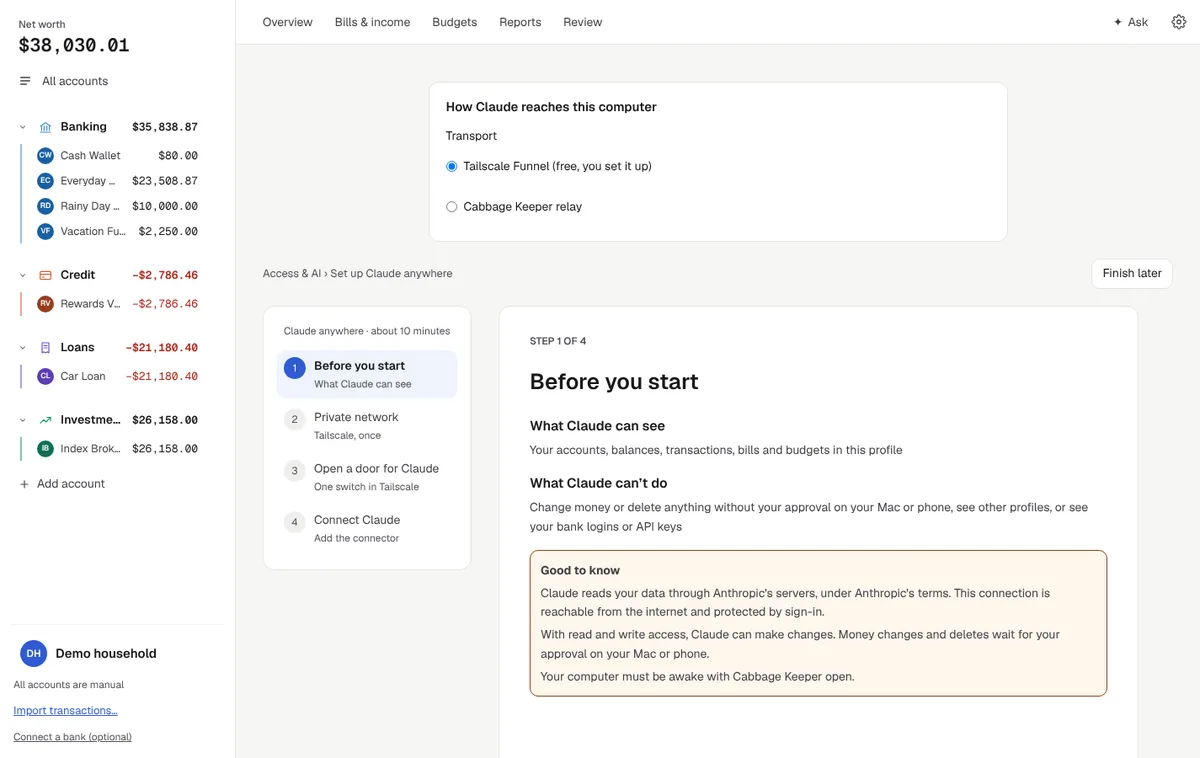
Ask questions in the app, or connect your own AI assistant, like Claude or ChatGPT, through MCP. Each option is off until you set it up, says exactly what it can see, and lets you choose read only or changes you approve.
The app is free with every feature. A Plus plan pays for the services we run, like reaching your computer from your phone or your AI assistant, wherever you are.
See where you stand today, what's coming up, and where it all goes.
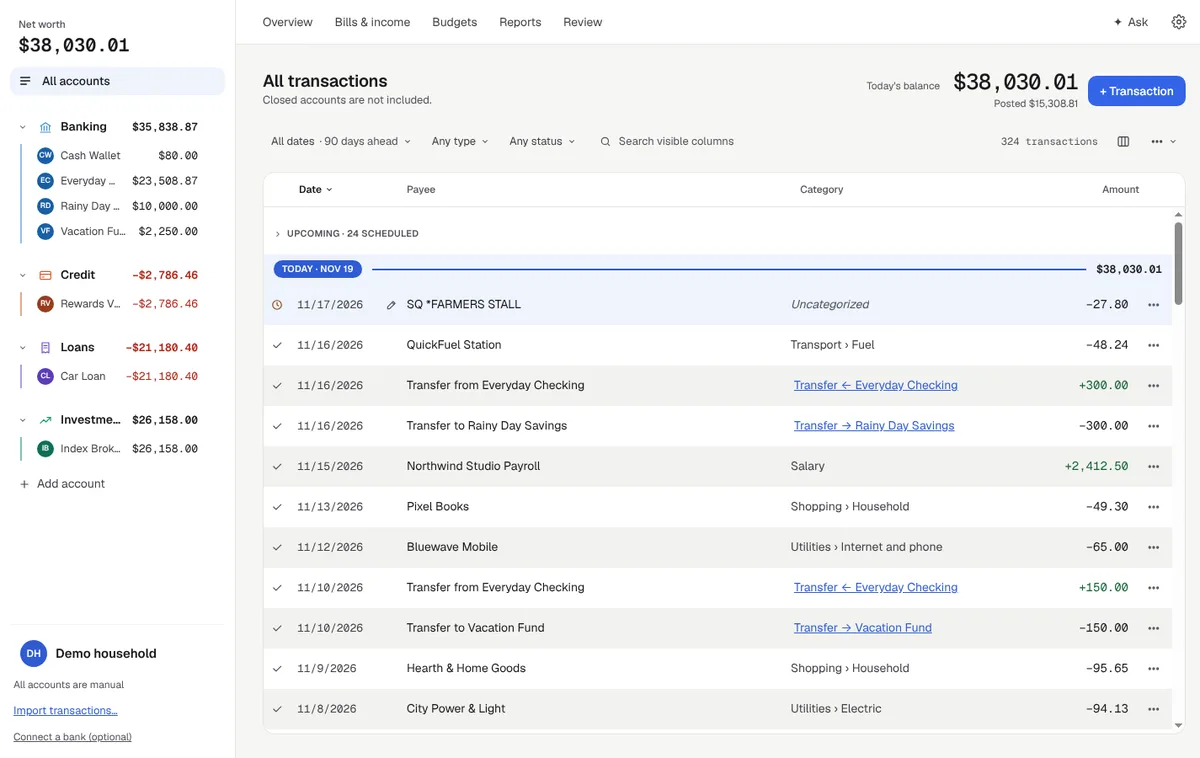
Every transaction, with upcoming bills and paychecks already in line, so you see the balance before it happens.
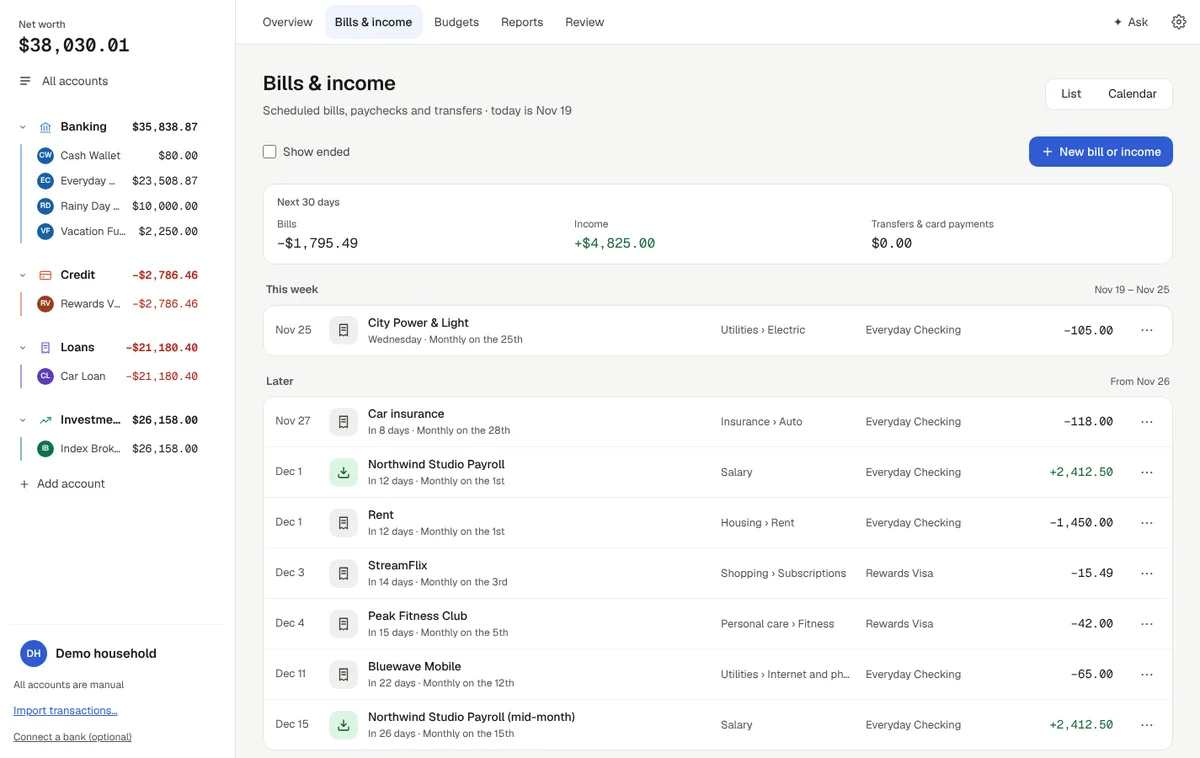
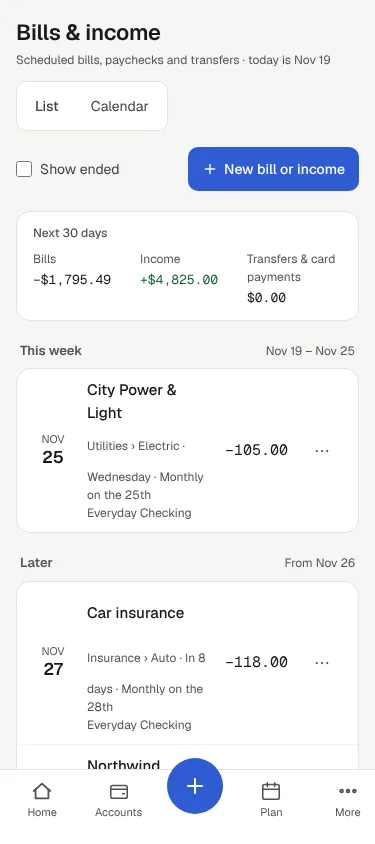
Rent, utilities, subscriptions and paydays on a list or a calendar, with a forecast of what's left.
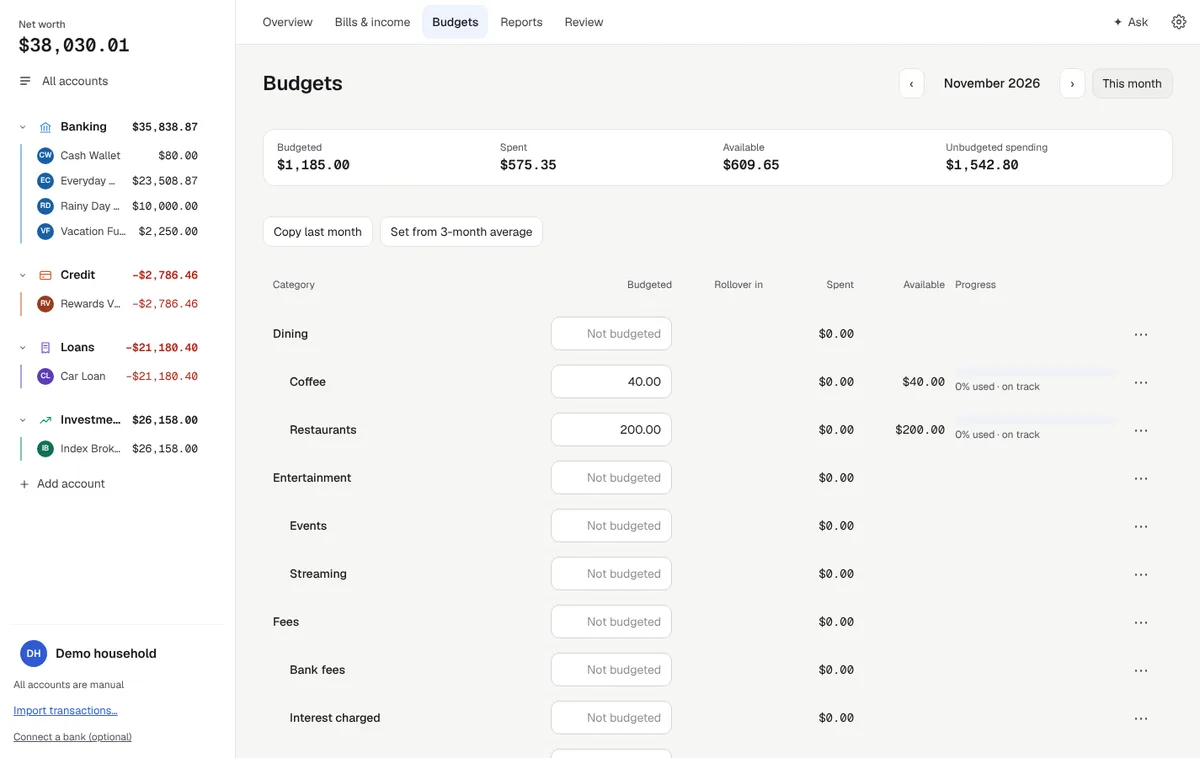
Set a month from last month or your 3-month average, with rollover and progress per category.
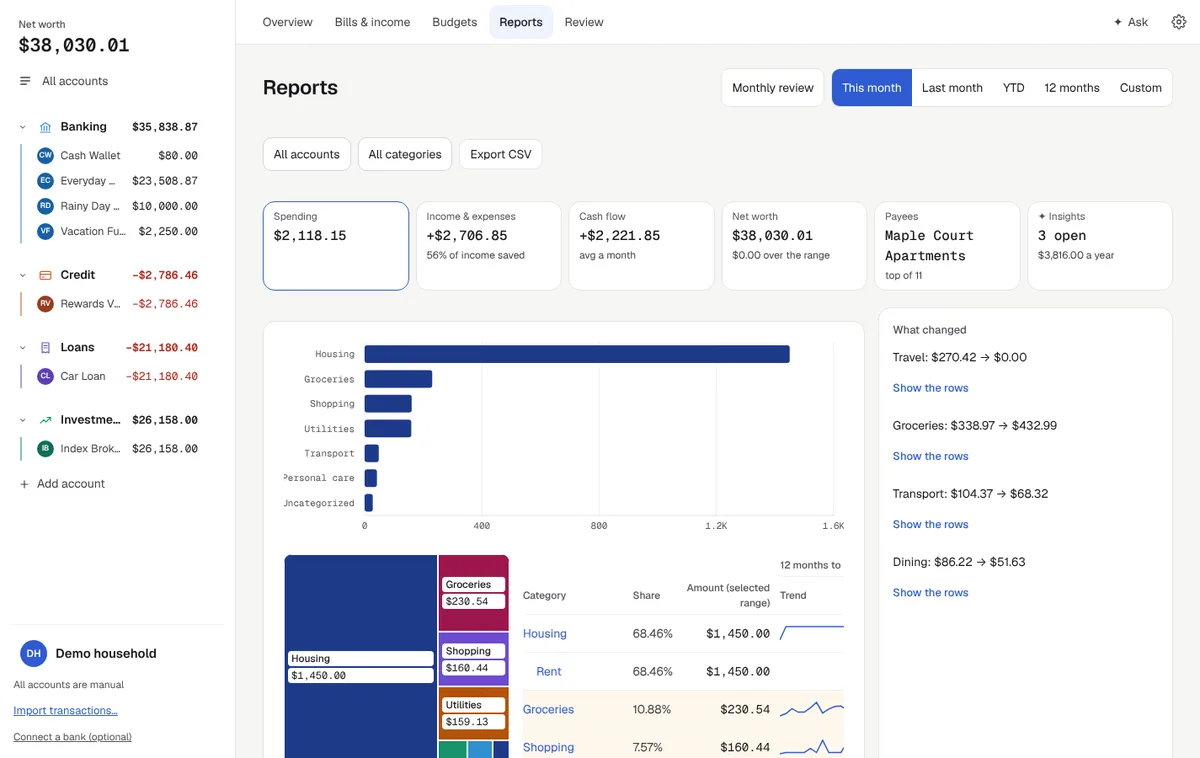
Spending, cash flow and net worth over any range, plus a monthly review of what changed.
Check balances, bills and transactions from your phone, tablet or another computer. Your phone talks to your own computer, encrypted end to end. There's no copy of your data in our cloud.
With a Plus plan, the Cabbage Keeper relay connects them for you, with nothing to set up. Your data stays encrypted the whole way, so the relay passes it along without being able to read it.
Type a question and get an answer from your own numbers, right inside Cabbage Keeper. It's off until you turn it on.
Probably, yes. After bills, your forecast's lowest point in March is $2,610 in Everyday Checking on March 14, the day before payday. Spending $1,200 leaves $1,410 there.
Every answer lists the figures it used, from your own accounts, so you can see where a number came from.
Ask what-ifs about trips, big purchases or paying off a card, using your real forecast and bills.
Find out why a bill went up or where this month's spending went, without building a report.
It can suggest bills, categories and rules. Nothing changes until you say yes, and you can undo it in History.
Ask is powered by Claude from Anthropic. Your question and short summaries are sent, and the app shows exactly what before and after. Example answers use a demo household.
Cabbage Keeper works fine with no AI at all. If you want help, pick how, and see exactly what each option shares before you switch it on.
Every AI connection, whether Claude, ChatGPT or another app, uses the same levels. You pick one when you connect it, and can change or disconnect it any time.
| What it can do | Read only · default | With write access |
|---|---|---|
Look at your moneyAccounts, balances, transactions, bills, budgets, reports, forecasts, goals, loans, investments, what-ifs | Yes | Yes |
Tidy upCategorize, create and edit rules, edit details, start a bank sync. Undo any time in History | No | Yes |
Add and change thingsTransactions, bills, transfers, budgets, goals, bills paid, loan payments | No | After your yes |
NeverBank logins, passwords and profiles, backups, import and export, deleting accounts, remote-access settings | Never | Never |
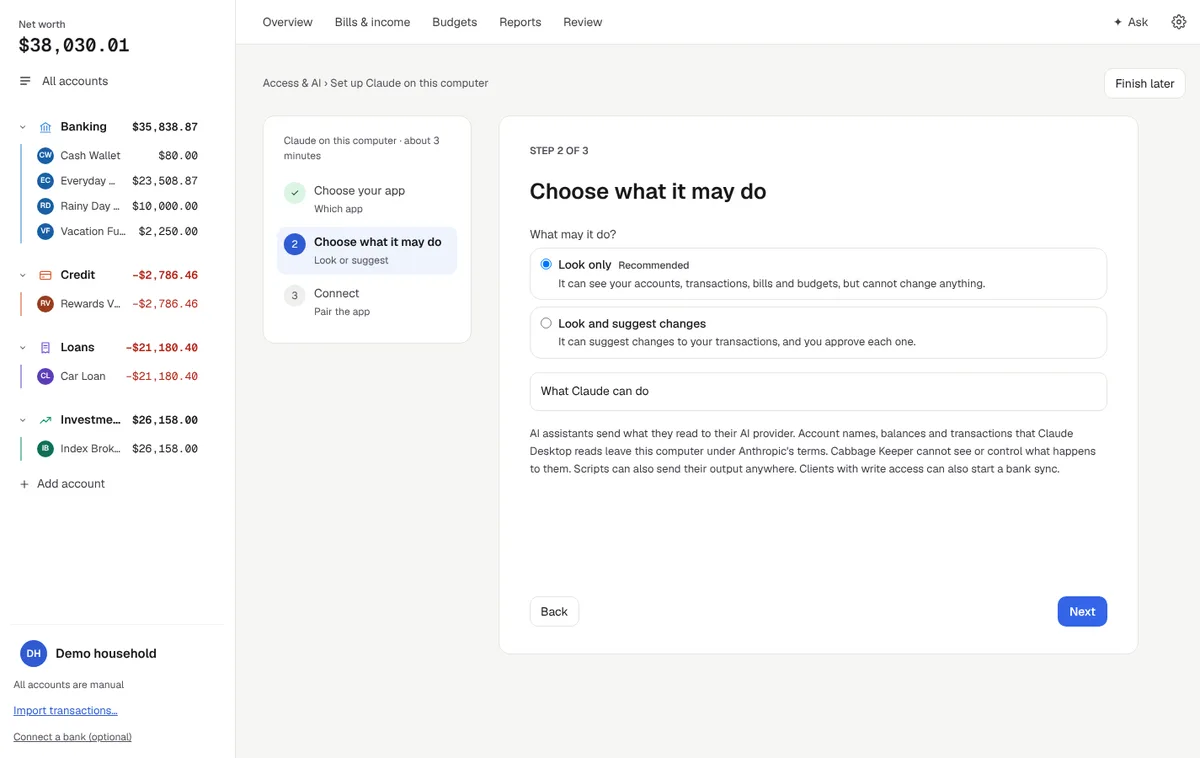
Use Cabbage Keeper with no account at all. Add a Plus plan when you want us to connect your phone and your AI assistant to your computer for you.
| What you get | The app · Free · no account needed | Free account · $0 | Cabbage Keeper Plus · $5 / month · or $50 / year (save $10) |
|---|---|---|---|
| Every app feature, on your computer | Yes | Yes | Yes |
| Your AI app on this computer (MCP) | Yes | Yes | Yes |
| Ask in the app | With your own Anthropic key | With your own Anthropic key | Included: a monthly allowance, about 40 questions |
| Phone access through the Cabbage Keeper relay | No | No | Yes, nothing to set up |
| Your AI assistant anywhere through the relay (Claude, ChatGPT and other MCP apps) | No | No | Yes |
| Encrypted sync and backup | No | No | When they launch |
3-day free trial on Cabbage Keeper Plus. Prices in US dollars, plus tax where applicable. Cancel any time; nothing on your devices is deleted.

This site holds your sign-in, your plan and the computers you link. Your financial data stays on your own devices.
macOS, Windows and Linux. Signed builds are coming soon.